7 Steps to Better Device Lifecycle Management
- Procurement
- Tech Tips

Buying new iPhones for your business? Before you order a fleet from Apple, find out how an Apple Authorised Reseller and MSP can help you get competitive pricing and simplify deployment.
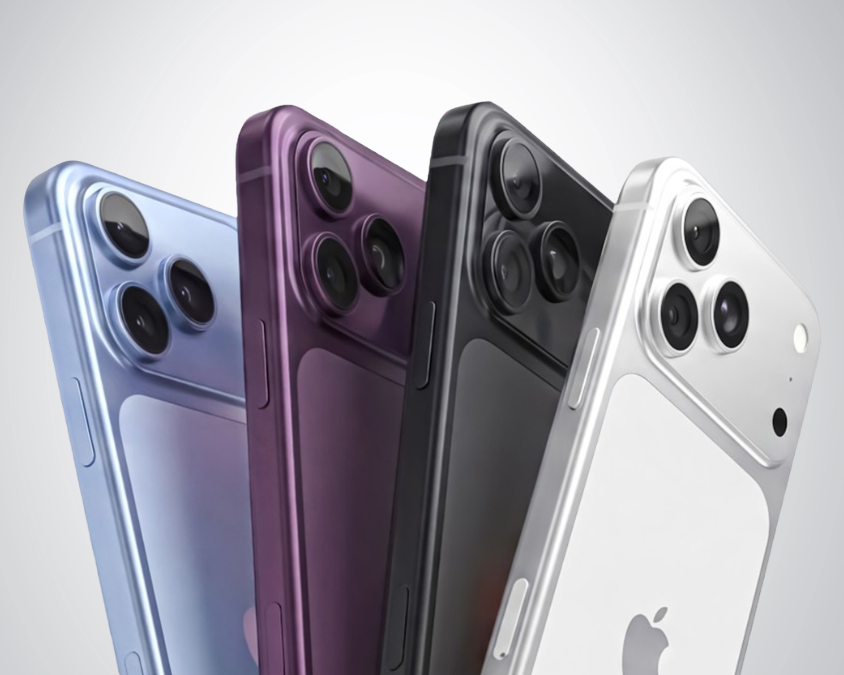
Looking to buy an iPhone 18 Pro for business? If you’re buying one phone, heading into an Apple Store is pretty straightforward. But if you’re buying 10, 50 or 100 devices for your team, there’s a lot more to consider than choosing a model and handing over a credit card.
This is where buying through an IT provider can make sense. An MSP (Managed Service Provider) can help with everything from sourcing and business pricing to deployment, security, device management and ongoing support.
There’s nothing wrong with buying an iPhone from a retail store. For a single device, it’s often the easiest option.
For a business fleet, however, the purchase is only the beginning.
Your IT team may still need to:
You can manage all of this internally, but it can quickly become another IT project.
The difference is simple: a retail store sells you the phone. An MSP can help manage what happens before, during and after you buy it.
An MSP can help you look beyond the price of the handset and manage the wider device lifecycle.
As an Apple Authorised Reseller, Cloud Context can help Australian businesses source new iPhones at competitive business pricing.
Rather than simply buying every device at the advertised retail price, we can quote based on what you’re actually purchasing and help you compare your options.
For a larger device refresh, that can make a meaningful difference to the overall cost.
Buying the phone is only the first step.
With Apple Business Manager (ABM) and Automated Device Enrolment (ADE), eligible devices can be assigned to your organisation and automatically enrolled into your chosen MDM platform, such as Microsoft Intune or Jamf.
In practice, that means a new iPhone can be shipped directly to an employee, who can turn it on, sign in and have the required business settings and apps applied without your IT team manually configuring the device.
That’s a very different experience from buying a phone off the shelf and figuring out the setup afterwards.
A company iPhone shouldn’t just be treated like an employee’s personal phone.
An IT partner can help establish policies around:
The goal is to make the device useful for employees without creating another security headache for IT.
The value doesn’t stop once the phone reaches the employee.
A managed device lifecycle can cover:
Before purchase: Work out requirements, source devices, compare pricing and prepare your Apple environment.
During deployment: Enrol devices, apply security policies, install required applications and get users set up.
After deployment: Provide IT support, manage lost or stolen devices, handle replacements and keep devices secure and managed.
When employees leave: Remove access, recover company hardware and securely retire the device.
For organisations with employees spread across multiple locations, this can also save your internal IT team from coordinating every device setup themselves.
Not necessarily.
The Pro model makes most sense when employees will actually benefit from its additional performance or capabilities. That might include executives, field teams, sales staff, content teams or other users who rely heavily on their phone for work.
For other employees, a standard iPhone may be perfectly adequate.
The important thing is to choose devices based on how they’re actually used, rather than simply giving everyone the most expensive model.
If you’re planning an iPhone refresh, don’t just ask, “How much is an iPhone 18 Pro?”
Ask:
That’s where the difference between buying an iPhone and buying iPhones for a business becomes pretty clear.
The best business phone isn’t necessarily the one with the longest spec sheet. It’s the one you can purchase, deploy, secure, manage and support without creating unnecessary work for your IT team.
As an Apple Authorised Reseller and managed IT provider, Cloud Context can help with both sides of that equation.
If you’re looking to buy new iPhones for your business, get in touch with our team. We can help you compare your options, source devices at competitive business pricing and get them ready to work from day one.



Got questions, ideas, or just want to chat? We'd love to hear from you! Reach out to us anytime, and we'll get back to you with all the help and information you need.